
Timesheet features for accurate time, approvals, projects, and billing.
WeWorked brings employee time tracking, time clock entries, approval workflows, project reporting, leave management, expenses, permissions, reminders, and invoicing into one online timesheet system for web, iOS, and Android teams.
A complete timesheet workflow.
Each feature supports the same path: capture accurate time, review it, report on it, and bill or export it when the work is complete.
Track time
Employees enter time online, on mobile, or through clock-in and clock-out workflows.
Approve work
Managers review daily, weekly, bi-weekly, or semi-monthly timesheets before payroll or billing.
Analyze projects
Track project budgets, billable hours, task codes, user rates, and client reporting.
Export or invoice
Send reports to payroll, create invoices, or support accounting workflows such as QuickBooks Online.
Core timesheet features.
Use WeWorked as a simple employee timesheet app or as a fuller project time tracking, approval, compliance, and billing system.
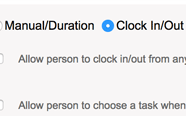
Flexible time tracking
Record time through online timesheets, mobile time tracking, or a shared on-site time clock.
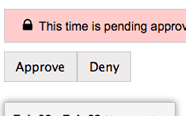
Timesheet approvals
Approve daily, weekly, bi-weekly, or semi-monthly timesheets with clear status and review history.
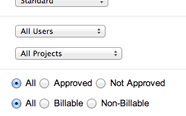
Reports and exports
Run reports for employee hours, project budgets, billable time, payroll, and audit records.
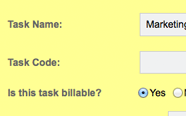
Projects and task codes
Create project task codes for development, client work, meetings, leave, grants, or internal labor.
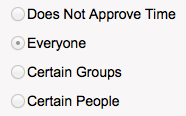
Permissions and groups
Control who can view, edit, approve, report, and manage time by person or work group.
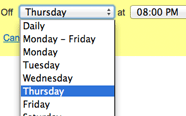
Email reminders
Send automatic reminders so employees complete timesheets before payroll or manager review.
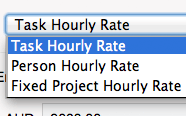
Billable hours and rates
Bill by person rate, task rate, or project rate and keep client-ready reporting close to the work.
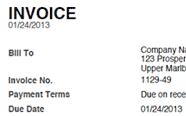
Invoices from time
Convert approved hours and expenses into branded invoices. Learn more about invoicing.
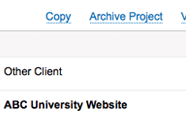
Project templates
Copy projects, task lists, people, and rate structures to speed up repeat project setup.
"My administrative time has been cut drastically since using WeWorked."
- 84% of users save up to 18 hours each week using WeWorked.
- 81% report fewer internal communication issues.
- Teams use WeWorked in more than 120 countries.
Add-on workflows for growing teams.
When your process needs more than basic time entry, WeWorked can also handle leave, expenses, mobile teams, and accounting handoffs.
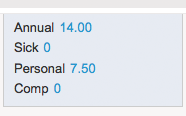
Leave balances
Define leave policies, calculate accruals, and let employees monitor balances.
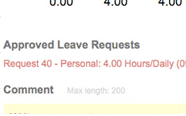
Leave requests
Let employees request time off online while admins review and approve with transparency. Learn more.
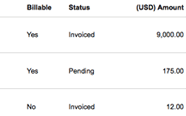
Expense management
Submit expenses with receipts, review costs, and include approved expenses in reports or invoices. Learn more.
Why teams choose WeWorked.
Compare the workflow, reporting, approvals, and billing features that make WeWorked a strong online timesheet software choice.
Feature FAQ
Search-friendly answers for teams comparing online timesheet software.
What features does WeWorked include?
WeWorked includes online timesheets, time clock entries, approvals, project tracking, reports, leave management, expenses, invoicing, permissions, reminders, and exports.
Can managers approve timesheets?
Yes. Managers can review and approve timesheets on daily, weekly, bi-weekly, or semi-monthly schedules.
Can WeWorked track project time?
Yes. Teams can track time by project, task code, person, client, billable status, budget, and rate.
Can WeWorked create invoices from time?
Yes. WeWorked can turn approved billable hours and expenses into invoices for clients and accounting workflows.
Does WeWorked support leave and expenses?
Yes. WeWorked supports leave accruals, leave requests, expense submissions, receipts, and expense review.
Is WeWorked useful for remote teams?
Yes. WeWorked is available on web, iOS, and Android, so employees and managers can use it from different locations.